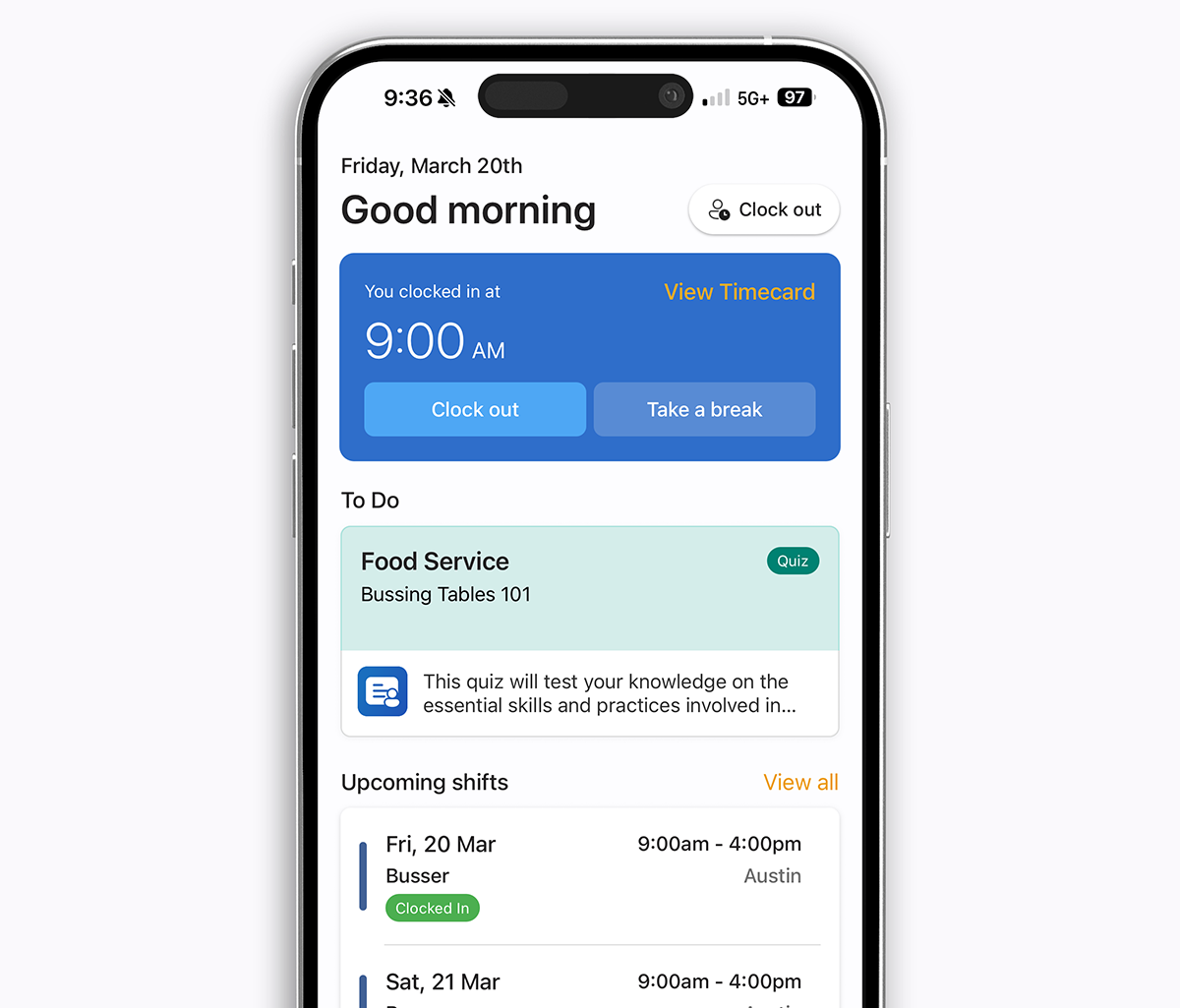
Same scheduling and time clock as Homebase — plus AI auto-scheduling, live GPS, jobs, training and bilingual EN/ES. Roughly half the per-location price.
Summarize article with AI
Compare
Teamsly vs Homebase: how we stack up
A quick look at where Teamsly beats Homebase on the workflows shift teams use every day.
Faster to build a full week's schedule vs. Homebase.
Managers report dropping from 45+ minutes to under 15 — with auto-fill handling open shifts.
−41%
Reduction in last-minute no-shows and uncovered shifts.
Real-time availability sync and smart swap requests keep the floor covered without manager scrambling.
$620
Average monthly savings on software costs per location.
Teams consolidate scheduling, time tracking, and ops training into one platform — dropping 2–3 separate tools.
TL;DR — Teamsly vs Homebase in 30 seconds
Both Teamsly and Homebase are workforce management apps for hourly, shift-based teams — but their scope is very different:
Homebase focuses on the basics for small single-location businesses — drag-and-drop scheduling, a free time clock, payroll add-on, and team messaging.
Teamsly covers the same core ground and keeps going — adding AI auto-scheduling, live location tracking, on-call shifts, a dedicated job scheduling module, forms & audits, recurring tasks, quizzes & training, and a fully bilingual (English / Spanish) experience.
Single-location café or boutique that just needs a free schedule and clock? Homebase is hard to beat.
Multi-location operator who needs operations, training, compliance, and AI scheduling in one app — at predictable per-location pricing? Teamsly is the better long-term fit.
Time savings
3.2×
faster scheduling with Teamsly AI
Managers report building a full week's schedule in a third of the time using Teamsly's AI auto-scheduler vs. manual drag-and-drop in Homebase — measured in their first month after switching.
Teamsly vs Homebase: the key differences
The headline differences between Teamsly and Homebase:
Feature
Homebase
Teamsly
Platform focus
Scheduling + payroll for small businesses
All-in-one workforce platform
Employee scheduling
✓
✓
AI auto scheduling
Plus & up only
✓
Time tracking & geo-fencing
✓
✓
Auto clock-out & reminders
✗
✓
Shift swaps & open-shift incentives
Partial
✓
Task management
Paid add-on ($13/mo)
✓
Forms, audits & checklists
✗
✓
Employee training (quizzes & courses)
✗
✓
AI form & quiz generation
✗
✓
Team chat & announcements
✓
✓
Live GPS location tracking
✗
✓
On-call shifts
✗
✓
Job scheduling module
✗
✓
Bilingual (EN / ES) experience
Partial
✓
Pricing model
Per location, tiered
Per location, flat
Best fit:
Homebase — single-location small businesses that mainly need scheduling, a time clock, and payroll.
Teamsly — growing or multi-location teams that need scheduling plus operations, jobs, training, and bilingual support in one app.
Homebase is a workforce management app aimed squarely at small hourly businesses — coffee shops, food trucks, boutique retail, salons, and small franchises. Its sweet spot is simple scheduling and a free time clock for a single location.
What Homebase does well:
Drag-and-drop schedule builder with shift templates, availability, and shift reminders.
Free mobile time clock with photo verification and basic geo-fencing.
Built-in team messaging and shift covers / trades.
Time-off requests, break tracking, and timesheet exports for payroll.
Bolt-on payroll ($39/mo + $6 per employee), hiring, tip manager, and task manager.
AI scheduling assistant on the Plus and All-in-One tiers.
If you run one location and only need to publish schedules and run payroll, Homebase covers it well. Where it gets thin is when you grow past one location or want to manage what happens during the shift — checklists, audits, training, on-call coverage, jobs in the field, or bilingual workflows. Most of those are missing entirely or sold as add-ons.
What is Teamsly?
Teamsly is a complete workforce management platform built for shift-based and field teams across hospitality, healthcare, retail, fitness, construction, and home services. It bundles AI scheduling, time clock, live location, on-call shifts, jobs, forms, tasks, and training into one bilingual app — so the schedule, the shift, and the work itself all live in the same place.
The short version
Homebase ends when the schedule is published. Teamsly keeps going — through the on-call rotation, the live location ping, the job dispatch, the checklist, the audit, the training quiz, and the payroll-ready timesheet.
Teamsly's differentiators against Homebase:
AI auto-scheduling that builds compliant schedules from demand and availability — included on the All-In-One plan, not a higher-tier upcharge.
Live location tracking bundled in the All-In-One plan.
On-call shifts with rotation, escalation, and one-tap acknowledgment.
A real jobs module for scheduling, dispatching, and tracking jobs across crews and locations — see Teamsly job scheduling.
Forms, audits and checklists with photo evidence and signatures.
A real task manager with recurring tasks and accountability — included, not a paid add-on.
Quizzes, courses and training with AI-generated content.
Bilingual English / Spanish manager and employee experience out of the box.
Predictable per-location pricing that doesn't punish you for adding seasonal staff.
Bilingual EN/ES: where Teamsly leaves Homebase behind
If you employ a Spanish-speaking workforce, this is one of the easiest wins for Teamsly. Homebase ships a partially translated UI in select areas of its employee app. Teamsly is fully bilingual end-to-end — schedules, notifications, training quizzes, audits, and chat all render in the employee's preferred language.
English
Spanish
Teamsly vs Homebase pricing (2026)
This is usually where the comparison starts, so let's get specific.
Homebase pricing (2026)
Basic — Free: 1 location, up to 20 employees. Basic scheduling, basic time tracking, POS integration.
Essentials — $30/mo per location ($24 billed yearly): advanced scheduling, advanced time tracking, team messaging.
Plus — $70/mo per location ($56 billed yearly): AI-powered scheduling, PTO & time-off controls, departments & permissions.
The catch: Homebase's most useful features live behind tier upgrades or add-ons. AI scheduling needs Plus ($70/loc/mo). The Task Manager is a $13/mo per-location add-on. Payroll is $39/mo + $6/employee. There is no forms engine, no training module, and no bilingual UI at any tier.
Teamsly pricing (2026)
Three simple plans. Free 30-day trial on every paid plan, no credit card, no setup fees.
Translation: Teamsly puts AI auto-scheduling at $49/location/mo on All-In-One — the same tier in Homebase costs $120/location/mo, and AI scheduling alone in Homebase requires the $70/location/mo Plus tier. Free 30-day trial on every paid plan, no credit card, no setup fees.
Real cost comparison (3 locations, 60 employees)
Homebase All-in-One
$4,320
per year for 3 locations on monthly billing — scheduling, AI assistant, payroll add-on, and HR. No forms engine, no training, no jobs module, no live GPS, no on-call shifts, no bilingual UI.
Teamsly All-In-One
$1,764
per year for 3 locations on yearly billing — AI auto-scheduling, live GPS, on-call shifts, jobs, forms & audits, recurring tasks, training, and bilingual EN/ES all included.
That's roughly 2.4× more for Homebase — and Teamsly still includes the operations, jobs, training, and bilingual features Homebase doesn't ship at any tier.
Which pricing model wins?
Homebase: attractive free tier for one location with up to 20 employees, but tiered upgrades and paid add-ons stack up fast.
Teamsly: more predictable as you grow. Per-location, flat, and includes the modules Homebase charges extra for.
Per-location annual cost as you grow (yearly billing)
Homebase Plus$70 / loc / mo
1 loc
$840
3 loc
$2,520
10 loc
$8,400
Teamsly All-In-One$49 / loc / mo
1 loc
$588
3 loc
$1,764
10 loc
$5,880
Teams switching from Homebase Plus save $2,520/year at 10 locations — and Teamsly still includes more (jobs, live GPS, on-call, training, bilingual UI).
Teamsly vs Homebase scheduling: AI vs manual
Both Teamsly and Homebase let you build schedules with drag-and-drop, copy a week forward, and publish to mobile. The difference shows up in who does the work of building the schedule.
Homebase scheduling
Homebase is, at its core, a manual scheduler. You build the week, the system surfaces availability and overtime warnings, and your team gets push notifications. The newer Scheduling Assistant on the Plus and All-in-One tiers can suggest a draft, but it's gated behind the higher-priced plans and stays focused on labor budgets and previous templates.
Teamsly scheduling
Teamsly does the same drag-and-drop building — and adds an AI auto-scheduler that takes your forecast, role requirements, certifications, and availability and produces a compliant draft in seconds. Managers tweak instead of build.
How Teamsly AI scheduling works
Set staffing needs.Tell Teamsly how many staff you need per role, per shift window — or connect your POS and let it learn from historical traffic.
Sync availability.Employee availability, time-off requests, and certification requirements are already in the system — no spreadsheet round-trips.
Generate the schedule.The AI fills every shift, avoids overtime, respects predictive scheduling rules, and flags conflicts before they become problems.
Review and publish.Tweak any shift with a drag, then publish. Staff get notified instantly on mobile in their preferred language.
Auto-fill the gaps.Remaining open shifts are broadcast to qualified staff with optional incentives. Teamsly tracks who accepted, who declined, and why — and on-call shifts cover the rest.
It also handles things Homebase doesn't:
Open-shift incentives — automatically offer a bonus or higher pay rate to fill last-minute gaps.
Multi-schedule management — different schedules per role, department, or location, viewed in one place.
Cross-location coverage — pull qualified staff from one location to another without manual juggling.
Live location tracking and on-call shifts
This is one of the sharpest gaps between the two products — and one of the easiest reasons growing teams switch from Homebase to Teamsly.
Live GPS location tracking
Homebase verifies location at clock-in and clock-out via geo-fencing. Once an employee is on the clock, that's it — no live position updates. Teamsly tracks live location during the shift on the All-In-One plan — useful for verifying field visits, dispatching the closest crew, monitoring multi-stop routes, and reducing buddy-punching.
Real-time location pins on a manager map
Automated route tracking for field crews
Smart geo-fencing per location, job site, or client address
Audit trail of who was where, and when
On-call shifts
Homebase has shift covers and trade requests inside its Team app. Teamsly treats on-call shifts as a first-class scheduling primitive. Schedule on-call coverage explicitly, alert the on-call employee with one tap, and convert an on-call slot into a confirmed shift the moment it activates. Combined with open-shift incentives, this is what drives the 41% reduction in uncovered shifts most managers see in the first 90 days after switching from Homebase.
Uncovered shifts per month
Avg. 60-employee team
HomebaseManual cover chains
17
TeamslyOn-call + AI broadcasts
7
59%fewer uncovered shifts
Teams report cutting last-minute gaps by more than half within 90 days of switching from Homebase's manual cover chains to Teamsly's on-call shifts and AI-assisted open-shift broadcasts.
Job & crew scheduling: a Teamsly module Homebase doesn't have
If you run construction, cleaning, security, HVAC, landscaping, mobile services, or any kind of field work alongside your storefront team, this is the section where the Teamsly vs Homebase comparison really tilts. Homebase doesn't offer a dedicated job or dispatch module. Teamsly ships a full Job Scheduling module built for crews dispatched to job sites.
Inside Teamsly's job module:
Complete job profiles — customer details, addresses, equipment needs, and crew notes in one place.
Role-based crew assignments — assign the right mix of roles to each job, see who's booked, and avoid overlap.
Geo-fenced clock-ins — link each job to a real-world location so crews can only clock in on-site.
Live jobs calendar — coverage by role at a glance, with drag-and-drop adjustments.
Mobile job control — adjust jobs on the fly, send shift alerts, and switch between chat, forms, audits, tasks, and training in one app.
Real-time GPS & route tracking — verify site visits and optimize travel time.
Teamsly jobs module — measured impact
60%
Less time building schedules
2–4×
Faster crew assignments
30%
Fewer job conflicts
1 app
For dispatch + ops
Operations & employee training
This is where the platform-vs-scheduler gap really shows up.
Homebase
No forms engine and no audit trail
Task manager exists, but only as a $13/mo per-location add-on
No built-in training, courses, or quizzes — you'd need a separate LMS
No AI form or quiz generation
Teamsly
Forms & audits — build any form (drag-and-drop or AI-generated), assign to roles, require photos and signatures, and review responses with auto-scoring.
Recurring tasks — daily, weekly, or per-shift, with photo proof and overdue alerts. Included, not an add-on.
Quizzes, courses, and training — assign training, track completion, and generate quiz questions with AI from your own documents.
Industry insight
68%
still juggle paper logs & side apps
of multi-location shift managers say they're still using paper logs, email chains, or separate apps to track operations and training that could live inside their scheduling platform.
Forms & audits Recurring tasks AI quizzes & courses Photo evidence Signed acknowledgments Bilingual training
"We replaced Homebase, Jotform, and a separate LMS with Teamsly. Three tools became one — and our managers actually use it because everything's in one app."
Teamsly vs Homebase: HR & compliance
Homebase has a solid HR module on its higher-tier plans — onboarding, document storage, and an HR advisor service through All-in-One. If your business needs hand-holding on labor law and you're already in the Homebase ecosystem, it's a reasonable add-on. The catch is that real compliance evidence — completed audits, signed acknowledgments, photo proof — isn't part of the product.
Teamsly is compliance-focused with:
Task completion records with timestamps and photo evidence
Training logs and signed bilingual acknowledgments
Audit trails for forms, time edits, and shift changes
For multi-location operators in food, healthcare, retail, and field service, that's usually the part of "HR" that actually matters during an inspection.
Teamsly vs Homebase by industry
Restaurants & hospitality
Teamsly — better for multi-location operations, opening/closing audits, food-safety training, and bilingual back-of-house staff.
Homebase — better for a single small restaurant or café that only needs schedules, payroll, and timesheets.
Retail
Teamsly — handles tasks, visual-merchandising forms, store audits, training, and scheduling in one app.
Homebase — scheduling, time tracking, and a paid task add-on; no audits or training.
Field services (construction, cleaning, security, HVAC)
Teamsly — purpose-built jobs module, live GPS, geo-fenced job-site clock-ins, on-call dispatch, audits, and accountability.
Homebase — limited beyond shift scheduling; no jobs module and no live location tracking.
Healthcare & senior living
Teamsly — on-call shifts, certification tracking, compliance audits, training records, bilingual team support.
Homebase — basic shift scheduling and timesheets only; no on-call coverage or training records.
Common scheduling challenges
Last-minute callouts — Homebase: manual covers and trade requests. Teamsly: AI-assisted open-shift broadcasts plus on-call shifts.
Over/understaffing — Homebase: scheduling assistant on Plus+ tiers. Teamsly: AI optimizes against demand and labor budget on every All-In-One plan.
Field-crew dispatch — Homebase: not supported. Teamsly: dedicated jobs module with live GPS.
You need training, onboarding, or compliance tracking
You want to consolidate scheduling, ops, and a separate LMS or task tool
You manage field crews and need live GPS, on-call shifts, and a jobs module
You employ a bilingual (English / Spanish) workforce
Predictable, lower per-location pricing matters as you grow
Choose Homebase if:
You have a single-location small business with ≤20 employees
You only need scheduling, a time clock, and built-in payroll
You want the simplest possible setup with minimal configuration
Teamsly vs Homebase in real businesses
A small café focused on daily basics
If you're running a single coffee shop or food truck, your main priorities are usually straightforward — building schedules, running payroll, and tracking hours. In that kind of setup, Homebase's free tier and built-in payroll add-on are a practical and familiar fit.
A business operating across multiple locations
As soon as you expand to multiple locations, the challenges change. It's no longer just about scheduling — it's about keeping operations consistent, training employees properly, and having visibility into what's happening across teams. This is where Teamsly starts to make more sense, since it brings scheduling, workflows, training, jobs, and live location tracking into one system at a flat per-location price.
A growing team trying to get organized
Many businesses reach a point where things feel harder than they should — processes aren't consistent, performance varies by employee, and you're juggling Homebase + Jotform + a separate LMS + a task add-on to keep everything running. At this stage, having a single platform that connects scheduling, operations, and training becomes much more valuable. That's typically where Teamsly delivers the biggest impact.
Common problems (and what actually solves them)
"Scheduling takes too long." Homebase improves efficiency with templates and (on Plus+) an AI assistant. Teamsly automates it entirely with AI auto-scheduling on the All-In-One plan.
"Employees aren't consistent." Homebase has no training tools. Teamsly has built-in training, quizzes, and standardized workflows in both English and Spanish.
"We don't know what's happening day-to-day." Homebase gives payroll-focused visibility. Teamsly gives full operational visibility — forms, tasks, live location, and audit trails.
Specialization vs. flexibility
The biggest difference between Homebase and Teamsly comes down to how each platform is built.
Homebase is built around the small-business basics — schedule, time clock, payroll — for single-location hourly teams.
Teamsly is designed for flexibility, combining scheduling, operations, training, live location, on-call, jobs, and bilingual workflows into a system that adapts as a business grows or expands into new service lines.
For businesses that plan to stay small and single-location, Homebase can work well. For teams thinking about scaling — adding locations, standardizing processes, dispatching crews, training staff — Teamsly typically becomes the better long-term choice.
Homebase
Best for
Simple scheduling and payroll for a single-location small team that just needs the basics.
VS
Teamsly
Best for
A flexible, bilingual workforce platform that scales across locations, jobs, training, and operations.
Staying small and simple? Homebase works. Growing, standardizing, or need training and compliance? Teamsly is the stronger long-term choice.
Teamsly vs Homebase: pros and cons
Homebase
Pros
Genuinely free for a single location (up to 20 employees)
Polished, easy onboarding for small businesses
Strong mobile time clock and payroll-ready timesheets
Built-in payroll add-on and hiring assistant
Cons
No forms, audits, or training at any tier
Task manager is a paid add-on ($13/mo per location)
AI scheduling gated behind Plus & All-in-One ($70+/loc/mo)
No live location tracking, on-call shifts, or jobs module
Per-location pricing climbs steeply ($120/loc/mo at All-in-One)
Bilingual (English / Spanish) support is partial only
Teamsly
Pros
All-in-one platform — scheduling, ops, jobs, training in one app
AI auto-scheduling, AI forms, and AI quiz generation included
Live location tracking, on-call shifts, dedicated jobs module
Sling — free shift scheduling with newsfeed-style messaging.
Square — POS-first platform with payroll and basic team tools.
When I Work — simple scheduling and time tracking for hourly teams.
The bottom line: Teamsly vs Homebase
Homebase = simple scheduling and payroll for small hourly businesses. If your priority is publishing a weekly schedule, running a free time clock, and paying employees from one app, Homebase is a great answer for a single location.
Teamsly = operational and workforce management. If your focus is team performance, consistency, training, multi-location standardization, jobs and crews in the field, on-call coverage, or bilingual staff — Teamsly is the better long-term platform, and usually at less than half the per-location cost.
Most growing teams don't actually have to choose all at once. Try Teamsly free for a single location, see what AI scheduling, forms, and bilingual training feel like, and migrate the rest of your business when you're ready. Book a quick live demo if you'd like to see exactly how the switch from Homebase to Teamsly works.
Try it free
Teamsly is free to start, with no credit card. Most teams have their first AI-generated schedule built in under 10 minutes. Start your free Teamsly account →
FAQ
Still on the fence? Let's clear it up.
Everything you need to know about switching from Homebase to Teamsly.
Homebase is a solid scheduling and time-clock tool for single-location small businesses. Teamsly covers the same core ground and keeps going — AI auto-scheduling, forms and audits, recurring task management, quizzes and training, and a fully bilingual experience, all at a lower per-location price.
Yes. Teamsly Basic starts at $24/month per location billed yearly ($29 monthly) and Teamsly All-In-One is $49/month per location billed yearly ($59 monthly) — versus Homebase Essentials at $30, Plus at $70, and All-in-One at $120 per location per month. Teamsly also includes forms, training, on-call shifts, live location, and a jobs module that Homebase doesn't offer at any tier. For a 3-location business comparing All-In-One tiers, that's roughly $1,764/yr on Teamsly vs. $4,320/yr on Homebase.
Yes. Teamsly is free to start with no credit card required. The free plan covers 1 location with up to 10 employees and includes basic scheduling, basic time tracking, availability and time-off requests, and Team Chat. Most teams have their first AI-generated schedule built in under 10 minutes after upgrading.
Most teams are fully live within a day. You import your roster from a CSV or connect your existing integrations, set up your locations and roles, and the AI takes it from there. Our onboarding team walks you through the first schedule if you want the help.
Yes — Teamsly is fully bilingual (English and Spanish) for both managers and employees. Schedules, notifications, training quizzes, and forms all render in the employee's preferred language. Homebase has limited Spanish support on select screens only.
Yes — and it's one of the biggest gaps between the two products. Teamsly has a full drag-and-drop forms engine that lets you build safety audits, temperature logs, opening/closing checklists, and onboarding docs. Responses are timestamped, photos can be required, and managers see a dashboard of completions. Homebase has no equivalent.
It's built for it. You can view and manage schedules across all locations from one dashboard, move qualified staff between locations with a single action, and run reports on labor cost and compliance across your entire operation — not just one site at a time.
Ready to leave Homebase behind for good?
Scheduling, time-tracking, forms, and team communication — all in one place. Join thousands of managers who made the switch and never looked back.