

TL;DR — Teamsly vs. 7shifts in 30 seconds
If you’re comparing Teamsly vs. 7shifts as the best 7shifts alternative for 2026, here’s the short version:
- 7shifts is a restaurant-only scheduler with deep POS integrations (Toast, Square, Clover, Lightspeed) and best-in-class tip pooling — built for hourly food-service teams.
- Teamsly is a multi-industry, all-in-one workforce platform: AI auto-scheduling, forms, audits, recurring tasks, training, live GPS, on-call shifts, jobs & crew dispatch, and bilingual EN/ES — one flat per-location price, unlimited employees, zero stacked add-ons.
- Pricing: at 60 employees across 3 locations, 7shifts The Works runs about $2,772/yr for scheduling alone — and quickly tops $11,000/yr once you stack Tasks, Tip Management, Manager Log Book, and 7shifts Payroll on top. Teamsly All-In-One at $49/loc/mo (billed yearly) runs $1,764/yr for everything — with AI auto-scheduling, forms, training, live GPS, on-call, jobs, and bilingual EN/ES already included.
Teamsly’s AI auto-scheduler ingests demand, availability, certifications, and labor rules and produces a compliant draft in seconds — managers tweak instead of building from a blank template every week.
Key differences at a glance
Both platforms publish schedules to mobile, do time tracking, and have team chat. The real divergence is scope. 7shifts is a vertical product perfected for one industry. Teamsly is a horizontal platform that bundles the workflows you would otherwise glue together with three or four point tools.
What each platform actually ships
Industry fit — specialization vs. flexibility
The biggest difference between 7shifts and Teamsly comes down to who you're building for. If your business never leaves the four walls of a restaurant, 7shifts is comfortable. The moment you do anything else, the gap opens fast.
- 7shifts is highly specialized for restaurant operations — built around labor costs, tips, and shift-based food-service teams.
- Teamsly is built for flexibility — restaurants, healthcare, retail, fitness, hospitality, field service, and home services all work out of the box.
Forms, training, recurring tasks, on-call, jobs, live GPS, AI quiz generation, bilingual EN/ES — all included on Teamsly. 7shifts charges per add-on, per location, per month, plus $6 per paid employee on top of Gourmet.
How this plays out in real businesses
Single-location restaurant focused on tips and POS
If you're running a single restaurant where tip pooling rules and POS-driven labor cost forecasting are the daily reality, 7shifts is a practical and familiar fit. Teamsly handles tips via integrations rather than natively, so this is genuinely a 7shifts strength.
Multi-location restaurant group with operations standards
The moment you have 3+ locations and need standardized opening/closing checklists, food-safety audits, allergen training quizzes, and consistent onboarding — you outgrow 7shifts. You either start stacking add-ons (Tasks + Trainual + Jotform on top of The Works) or move to an all-in-one like Teamsly.
Restaurant group expanding into ghost kitchens, catering, or events
The minute you have staff working outside the four walls of a restaurant — catering events, off-premise pop-ups, ghost kitchens, mobile bars — you need live GPS, jobs/crew dispatch, and on-call shifts. None of those exist in 7shifts.
Multi-vertical operator (restaurant + retail, or restaurant + fitness)
Operators who own a restaurant and a retail concept, gym, or hotel can't run two stacks. Teamsly covers all of it in one subscription; 7shifts only covers the restaurant.
Healthcare, field service, or home-services team currently on a restaurant scheduler
If you're here because someone picked 7shifts before realizing it's restaurant-only, you already know the answer. Teamsly is purpose-built for jobs-based, multi-site, certification-driven work.
What is 7shifts?
7shifts is a workforce app built specifically for the restaurant industry, founded in 2014 in Saskatoon by Jordan Boesch and now headquartered in Toronto. Its sweet spot is hourly food-service teams that need scheduling, time clocking, tip pooling, and POS-integrated payroll in a single tool.
Where 7shifts is strong — and we’ll give it full credit:
- Best use case: single-location and small multi-location restaurants with tip-driven service.
- POS integrations are deep and battle-tested — Toast, Square for Restaurants, Clover, Lightspeed, Revel, and Micros all sync sales, hours, and labor cost data both directions.
- Tip pooling and tip-out workflows are first-class — rule-based, multi-role, with real-time tip distribution that few horizontal platforms can match.
- 7shifts Payroll handles labor cost forecasting and tax filings inside the same product (US only).
- Compliance content for restaurant-specific laws (predictive scheduling, tip credit) is genuinely well-curated.
If your business is a restaurant and stays a restaurant, 7shifts fits naturally. The trade-off is that almost everything outside of restaurant workflows is either limited, bolted on as a paid add-on, or simply missing.
What is Teamsly?
Teamsly is an all-in-one workforce management platform built for shift-based teams across restaurants, healthcare, retail, fitness, hospitality, field service, and home services. It bundles scheduling, time clock, communication, forms, audits, recurring tasks, training, live GPS dashboard, on-call shifts, and a Jobs & crew dispatch module into one app — so the schedule, the shift, the work, and the proof of work all live in the same place.
The short version
7shifts ends when the schedule is published and the labor cost is forecast. Teamsly keeps going — through the shift, the audit, the training quiz, the on-call promotion, the field-service visit, and the live-location verification.
Teamsly’s differentiators against 7shifts:
- AI auto-scheduling that builds compliant schedules from demand, availability, and certifications in seconds.
- Forms, audits and checklists with photo evidence, signed acknowledgments, and AI generation.
- Recurring tasks with photo proof and overdue alerts — included, not a $12.99/loc/mo add-on.
- Training, courses, and quizzes with AI quiz generation from any SOP PDF.
- Live GPS dashboard with a real-time map of every clocked-in staff member.
- On-call shifts with separate on-call pay tracking and one-tap promotion to confirmed shifts.
- Jobs & crew dispatch for project-based, multi-job, and field-service scheduling.
- Bilingual EN/ES manager and employee experience — full app, not a subset of screens.
- Flat per-location pricing with unlimited employees — no per-employee fees, no $12.99 task add-ons, no $49.99 tip add-ons.
Pricing breakdown — what you’ll actually pay
The Teamsly vs 7shifts pricing conversation is where most decisions get made. Let’s be specific.
7shifts pricing in 2026
7shifts has four tiers, all priced per location, per month:
- Comp — Free: 1 location, up to 30 employees, basic scheduling and chat.
- Entrée — ~$34.99/loc/mo: advanced scheduling, time clocking basics, team messaging.
- The Works — ~$76.99/loc/mo: labor compliance, advanced time clocking, manager log book.
- Gourmet — custom pricing per location + $6 per paid employee: 7shifts Payroll, Tip Management, Task Management.
Add-ons that stack on top of any tier: Task Management ($12.99/loc/mo), Tip Management ($49.99/loc/mo), Manager Log Book ($14.99/loc/mo), 7shifts Payroll ($39.99/loc/mo + $6/employee), Employee Onboarding ($2.99/package).
The pattern is clear: as your operation gets more complex, your 7shifts bill scales with it — every meaningful capability beyond scheduling is either a higher tier, a per-employee fee, or a separate add-on.
Teamsly pricing in 2026
- Free — $0: 1 location, up to 10 employees. Basic scheduling, basic time tracking, availability and time-off requests, team chat. No credit card.
- Basic — $29/loc/mo ($24/loc/mo billed yearly): everything in Free plus advanced team communication, advanced reporting, basic checklists/forms, and basic quizzes/lessons. Unlimited locations and unlimited employees.
- All-In-One — $59/loc/mo ($49/loc/mo billed yearly): everything in Basic plus AI auto-scheduling, advanced PTO and time-off controls, advanced cost management, advanced forms & quizzes, geofenced clock-in, live location tracking, jobs & crew dispatch, and full bilingual EN/ES.
The headline number: Teamsly Basic at $24/loc/mo (yearly) already undercuts 7shifts' cheapest paid tier (Entrée at ~$34.99/loc/mo) — and Teamsly All-In-One at $49/loc/mo (yearly) beats 7shifts The Works ($76.99/loc/mo) by 36% before you even count the add-ons 7shifts charges separately for tasks, tips, training, and onboarding.
Real cost comparison — 60 employees across 3 locations, year one
- + Tasks add-on $12.99/loc/mo
- + Tip Management $49.99/loc/mo
- + Manager Log Book $14.99/loc/mo
- + 7shifts Payroll $39.99/loc/mo + $6/emp
- + Employee Onboarding $2.99/pkg
- × No AI scheduling, GPS, jobs, or training
- ✓ AI auto-scheduling
- ✓ Forms, audits & recurring tasks
- ✓ Training, courses & AI quizzes
- ✓ Live GPS dashboard & geofencing
- ✓ On-call shifts + Jobs & crews
- ✓ Bilingual EN/ES — full app
That's roughly 6.4× cheaper when you include the add-ons most multi-location restaurants actually need on 7shifts. Even ignoring 7shifts Payroll and running a stripped-down 7shifts The Works with no add-ons ($2,772/yr), Teamsly All-In-One at $1,764/yr (billed yearly) is still 1.6× cheaper — and bundles forms, training, AI auto-scheduling, live GPS, on-call, jobs, and bilingual support that 7shifts simply doesn't offer at any price.
Scheduling: AI auto-scheduling vs. 7shifts templates
Both apps let you build schedules with drag-and-drop, copy a week forward, and publish to mobile. The difference shows up in who does the work.
7shifts scheduling
7shifts is fundamentally a template-driven, manual scheduler tuned for restaurant labor cost forecasting. You build the week, the system handles availability, breaks, overtime warnings, and labor budget vs. projected sales pulled from your POS. It’s clean and powerful inside food-service workflows — but every week, you’re starting from a template and dragging shifts around.
Teamsly AI auto-scheduling
Teamsly does the same drag-and-drop building, then adds an AI auto-scheduler that takes your forecast, role requirements, certifications, and availability and produces a compliant draft in seconds. Managers tweak instead of build.
How AI auto-scheduling works in Teamsly
- Set your demand targets. Tell Teamsly how many staff you need per role, per shift window — or connect your POS and let it learn from historical traffic.
- Availability is pulled automatically. Employee availability, time-off requests, and certification requirements are already in the system — no spreadsheet needed.
- AI generates a compliant draft. The scheduler fills every shift, avoids overtime, respects predictive scheduling rules, and flags conflicts before they become problems.
- Managers review and publish. Tweak any shift with a drag, then publish. Staff get notified instantly on mobile with their confirmed schedule.
- Open shifts fill themselves. Any remaining gaps are broadcast to qualified staff with optional incentives — Teamsly tracks who accepted, who declined, and why.
Live GPS dashboard & on-call shifts
This is one of the cleanest dividing lines in the Teamsly vs 7shifts comparison. 7shifts ships geofenced clock-ins (so a server can’t clock in from home) but stops there. Teamsly adds a real-time map and a first-class on-call shift type.
Teamsly leads on every axis except restaurant-specific tip pooling (handled via integrations). 7shifts ships scheduling and a basic time clock; everything else is missing or sold separately.
If you run home health visits, mobile beauty, field service, multi-site cleaning, security patrols, event staffing, or anything that isn’t “everyone clocks in at the same address every shift,” 7shifts simply isn’t built for it.
Jobs & crew dispatch — the workflow 7shifts doesn’t have
The Teamsly Jobs module brings project-based scheduling into the same app as your shifts. Healthcare home visits, field-service jobs, construction crews, event staffing, mobile beauty appointments — anything that’s “this person, at this place, for this job” — works out of the box. 7shifts is built around a fixed location and a recurring weekly schedule, so jobs-based work simply doesn’t fit its model. There is no Jobs module, no crew dispatch, no per-job time tracking.
Why this matters
If you’ve ever tried to make a restaurant scheduler track field-service jobs or on-call rotations, you already know the answer. 7shifts is excellent inside its lane. Teamsly is built for the businesses that live outside it.
Forms, audits, recurring tasks — Teamsly’s biggest gap on 7shifts
This is where Teamsly vs 7shifts genuinely diverges.
7shifts has no native forms engine, no audit trail, and no training module. Tasks are a $12.99/loc/mo add-on — or bundled only into the higher-tier Gourmet plan. If you want to run a daily safety audit, a temperature log, a weekly inventory count, or onboard a new hire with a quiz, you need a separate tool stacked on top of 7shifts (typically Jotform, Jolt, or Trainual).
Teamsly does all of it natively — with no add-ons:
- Forms & audits — build any form (drag-and-drop or AI-generated), assign to roles, require photos and signatures, and review responses with auto-scoring.
- Recurring tasks — daily, weekly, or per-shift, with photo proof, due windows, and overdue alerts.
- Shift checklists — opening, closing, mid-shift — that an employee has to complete before clocking out.
- Audit trail — every form response and task completion is timestamped, geo-tagged, and exportable for inspections.
“We replaced 7shifts, Jotform, and a separate LMS with Teamsly. Three tools, one bill, and our managers actually use it.”
Built-in training & onboarding
This is where Teamsly separates itself the most from 7shifts.
- Training modules built into the same app employees already use to view their schedule.
- Standardized onboarding sequences with required quizzes and signed acknowledgments.
- AI quiz generation — drop in a SOP or training PDF and Teamsly drafts the quiz for you.
- Performance tracking — see who passed, who didn’t, and who needs a refresher.
7shifts has no equivalent. To add training to a 7shifts deployment, you typically buy and integrate a separate LMS — adding both cost and another tool for managers and employees to learn.
Bilingual experience — built in, not bolted on
Teamsly is fully bilingual (English and Spanish) for both managers and employees. Schedules, notifications, training quizzes, forms, and audit responses all render in each user’s preferred language — automatically. 7shifts has limited Spanish coverage on a subset of employee-facing screens.

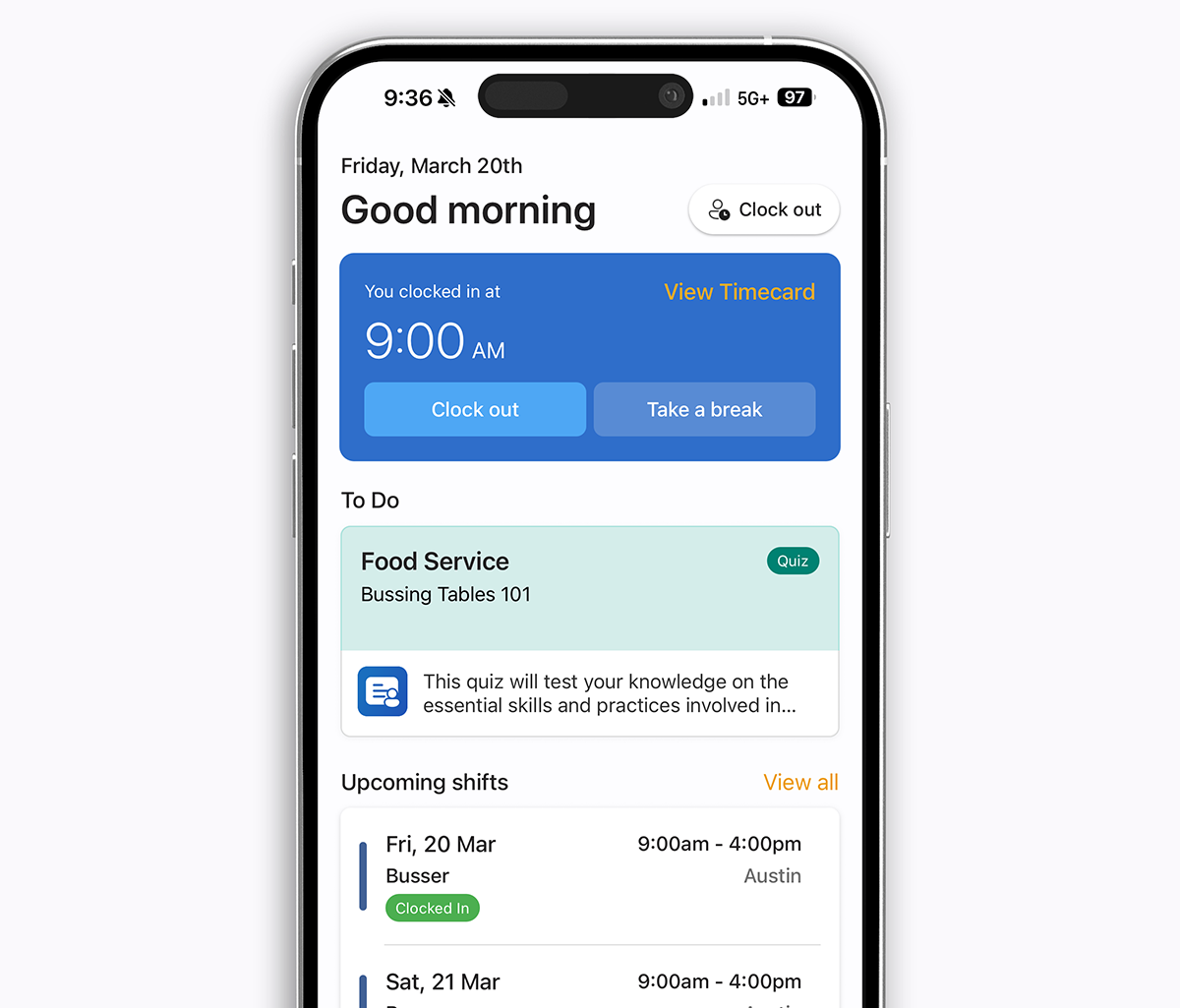
For multi-location operators in food service, healthcare, hospitality, or facilities — where a meaningful share of the frontline workforce prefers Spanish — bilingual coverage is the difference between training that gets done and training that gets ignored.
Where 7shifts hits a ceiling
If you stay inside one restaurant, 7shifts is genuinely good. The ceilings show up the moment you try to do anything outside that lane:
- Non-restaurant verticals — healthcare, retail, fitness, field service, home services, hospitality housekeeping — the product simply isn’t built for them.
- No forms or audit trail — no daily safety audits, no temperature logs, no opening/closing checklists with photo evidence.
- No native training/LMS — you have to bolt on Trainual, Lessonly, or similar.
- No live GPS dashboard — geofence only; no real-time map, no route history, no field-service visit verification.
- No on-call shift type — managers work around it with messaging and manual schedule edits.
- No Jobs / crew dispatch — everything is anchored to a fixed restaurant location.
- Add-on creep — Tasks, Tips, Manager Log Book, Payroll, Onboarding all priced separately on top of the tier.
- Per-employee pricing on Gourmet ($6/paid employee) punishes seasonal hiring spikes.
Pros and cons
7shifts
Pros
- Purpose-built for restaurant and hospitality teams
- Best-in-class tip pooling and tip-out management
- Strong labor cost tracking and forecasting
- Deep POS integrations (Toast, Square, Clover, Lightspeed, Revel, Micros)
- Optional 7shifts Payroll inside the same product (US)
- Mature compliance content for restaurant-specific labor laws
Cons
- Restaurant-only — doesn’t fit anything outside food service
- No forms, audits, or training modules
- Tasks are a paid add-on or Gourmet-tier only
- No live GPS dashboard or on-call shift type
- No jobs / crew dispatch / project-based scheduling
- Pricing climbs quickly with add-ons and per-employee fees
- Spanish localization is partial, not full-app
Teamsly
Pros
- All-in-one workforce management — one app, one bill
- AI auto-scheduling, AI forms, AI quizzes
- Forms, audits, recurring tasks, training all built in
- Live GPS dashboard with real-time staff map
- First-class on-call shift workflow
- Jobs & crew dispatch for project & field-service work
- Fully bilingual (English / Spanish) end-to-end
- Flat per-location pricing — no per-employee surprises
- Scales across locations and industries
Cons
- Less restaurant-specialized than 7shifts (no native tip pooling — handled via integrations)
- POS depth is broader but not as deep as 7shifts on Toast/Lightspeed/Revel
- Built-in payroll is regional — payroll is typically integrated rather than embedded
- Newer brand than 7shifts
Best for single-vertical restaurant operators who live and die by tip pooling and POS-integrated labor forecasting.
Best for operators who want scheduling + ops + training + GPS + on-call + jobs in one tool, across one or many verticals.
Other 7shifts alternatives worth comparing
Teamsly isn't the only platform people compare against 7shifts. If you're still shopping, here are head-to-head breakdowns of the other major workforce apps:
- Teamsly vs. Homebase — the other free-tier-friendly all-in-one.
- Teamsly vs. Deputy — multi-industry per-user pricing model.
- Teamsly vs. Humanity — enterprise scheduling for shift-based teams.
- Teamsly vs. BuddyPunch — time clock first, scheduling second.
- Teamsly vs. Square Team — bundled with Square POS.
- Teamsly vs. Sling — Toast-owned scheduler.
- Teamsly vs. Connecteam — deskless team operations.
- Teamsly vs. When I Work — the long-standing scheduling incumbent.
The bottom line on Teamsly vs. 7shifts
7shifts is a strong restaurant scheduler with genuinely best-in-class tip pooling and POS depth — but those strengths are narrow, and the moment you step outside one restaurant the gaps open quickly. Teamsly is built to run your entire workforce as one system: AI auto-scheduling, forms, audits, recurring tasks, training, live GPS, on-call shifts, jobs & crew dispatch, and bilingual EN/ES — for one flat per-location price with unlimited employees.
If you’re thinking beyond just scheduling — planning for growth, multiple locations, or anything that isn’t a restaurant — Teamsly is the best 7shifts alternative for 2026.
Try it free
Teamsly is free to start, with no credit card. Most teams have their first AI-generated schedule built in under 10 minutes. Start your free account →